 Halo
Halo
Track calories from your groceries, not guesses
Photo-based calorie apps guess from a picture of your plate. If the food came from your own kitchen, its label already has the exact numbers. Here's how to use them.
Most calorie apps start at the plate: take a photo and the app guesses. That's quick, but a photo can't see the oil in the pan or tell 150 g of pasta from 250 g. If you cooked at home, you already have something better: the label on every pack you used.
The idea: start from the pack, not the plate
Every packaged food in the EU has to show energy, fat, carbohydrates, sugars, protein and salt per 100 g or 100 ml. So if you know which packs went into a meal and how much of each, the calories are simple maths, not a guess.
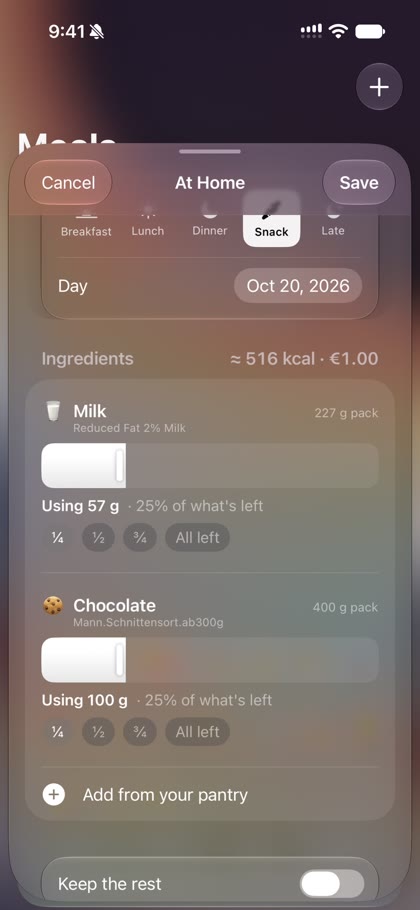
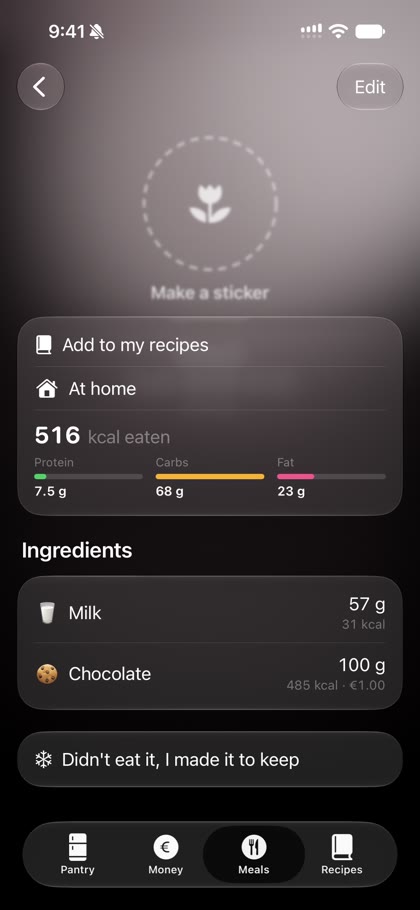
Example from the video above: a snack of 57 g of whole milk and 100 g of chocolate comes to 516 kcal, worked out from both labels. Slide an amount and the number follows.
How to do it with Halo
- Get the food in once. Scan the barcode, or scan your receipt and then each pack as you unpack. Halo saves the pack size and its nutrition.
- Log a meal from your pantry. Pick what you used and slide to how much you had. Halo takes that amount out of your pantry and adds up the kcal, protein, carbs, fat and sugar.
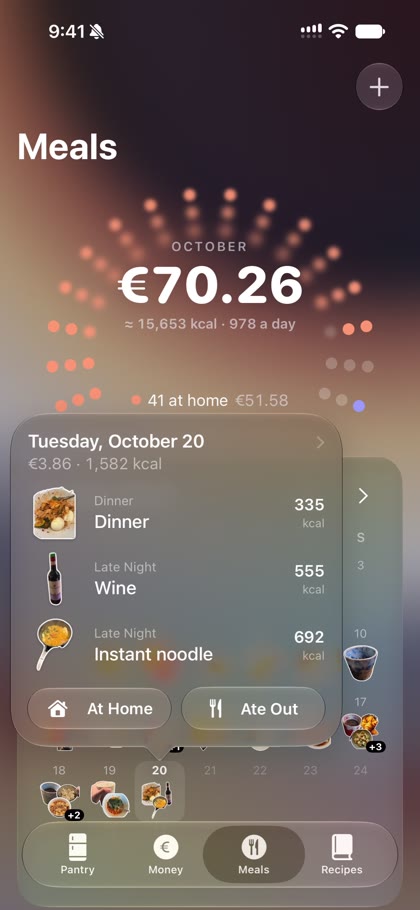
- See your day. Each day in the meal calendar shows its meals and total calories. Eating out? Add it as a meal too.
Why this is easier to stick with
- You don't search a database for "chocolate wafer, generic" every time; the exact product is already in your kitchen.
- Logging a meal also updates what's left in your pantry, so the shopping list stays right.
- The numbers come from the real labels of what you bought.
Questions
How accurate is calorie counting from a photo?
Photos can't see oil, sauces or portion weight well, so estimates can be far off. Using the nutrition label of the actual pack and the amount you used is much more precise.
How does Halo know the calories?
When you scan a barcode, Halo looks the product up in Open Food Facts (and USDA FoodData Central for US products) and keeps its nutrition per 100 g and per pack. When you log a meal, it uses the amount you took from each pack.
What about cooked rice or pasta?
Halo counts the pack you took from the pantry, so 100 g of dry rice is counted as 100 g of dry rice, which is how the label states it.